
Write down one contact or household instruction you would otherwise have to look up online. Choose information you are authorized to keep, put it somewhere the intended person can reach, and check that they can read it. That is a useful start; you do not need to assemble a complete binder today.
A small offline plan keeps contacts, agreed meeting rules and useful references within reach when online services are unavailable. It is not a portable copy of every password, medical file, alarm code or financial record. For the wider household response, use the power outage preparedness hub.
Urgent care, assistance, reporting and current official instructions come before this planning exercise. Keep essential care and communication connections working. A helper is optional; leave unknowns blank rather than guessing contact details or another person’s needs. Keep private records out of site forms.
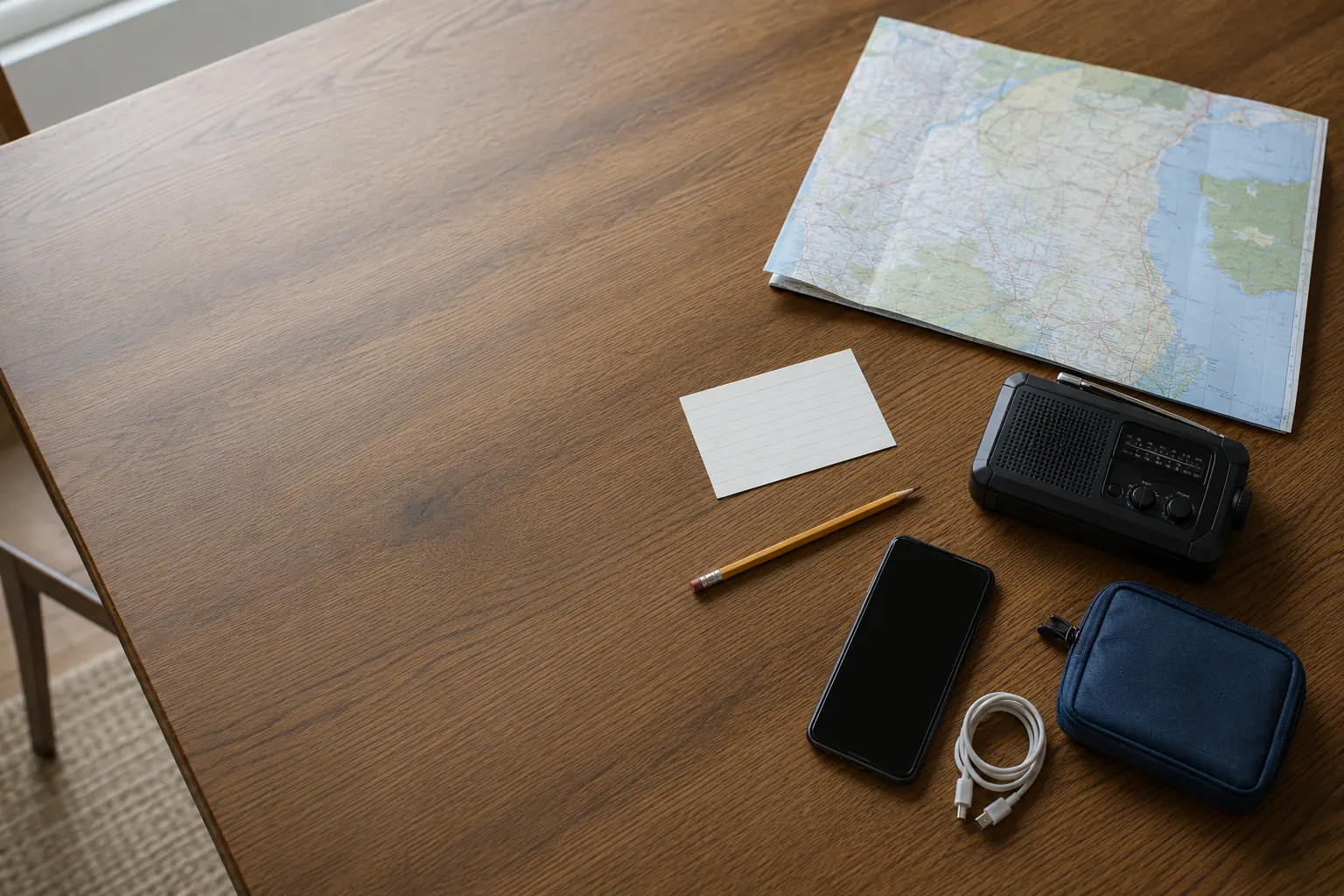
Separate the information from the secrets
Start by separating four things that are often mixed together.
- Contacts and meeting rules: put the useful details on a limited-access paper copy; the family communication plan owns the agreed check-in arrangements.
- Document locations: keep a reference, not every full document; use emergency documents and records for the protected archive.
- Passwords, codes and keys: keep them in the separate protected system described in offline recovery material, not an ordinary contact card.
- Care information: use only an authorized contact or plan-location cue here. Medical device and medication continuity owns the individual care plan.
This distinction matters when a bag is lost, a guest sees the packet, or one household member needs to act without access to sensitive material. A useful page can say, “medical plan: controlled packet with named caregiver,” without naming a diagnosis or listing a prescription.
Make a readable contact sheet
Paper is not old-fashioned in an outage. It has no login screen, battery, operating-system update, or cellular dependency. Ready.gov’s family-planning material calls for written contacts and meeting places; CDC also includes emergency contacts and protected paperwork in preparedness planning.
Use type, handwriting or an accessible format the intended person can read under normal safe lighting. Add only the fields useful to this household, without collecting every item below:
- household names and phone numbers;
- an out-of-area contact and a second contact;
- two meeting places and the condition that makes each one active;
- utility, building-management, school, workplace, and local emergency-management contacts;
- one local radio station or other official information channel;
- an address or apartment number the intended person needs, kept privately; access codes belong in the protected system;
- transport role, pet role, and check-in responsibility;
- the location category of protected documents or care plans, without the secrets themselves;
- the date it was last checked.
Choose a useful, appropriately protected location: at home, in a go bag or in an authorized caregiver packet. More copies are not automatically better; consider who could see a lost card. A child’s card needs only the details for reconnecting with a trusted adult, not account numbers, alarm codes, full medical history or valuables at home.
Know where to check current instructions
Choose the source responsible for the decision. These are different jobs, not a fixed sequence that delays emergency help or an official instruction:
- Emergency alerts and direct instructions from local authorities.
- Utility, building, school, workplace, transit, or care-provider notices relevant to the household.
- Local weather or emergency radio for a wider situation picture.
- A trusted out-of-area contact for relaying messages when local systems are overloaded.
- News or neighborhood reports treated as context until an official source confirms them.
Write the public channel, station, or phone number before the disruption. Do not write down a promise that a channel will always work. A radio can lose reception, a website can be stale, and an app can require a login or a data connection it did not need yesterday. The local alerts guide gives the household a broader redundant-alert setup.
Check one downloaded map
Start with one needed area while connected and safely stationary. Check that it is actually downloaded on this device and covers the intended destination and route. Do not use airplane mode or interrupt essential care, alerts or communication to rehearse an outage. The offline phone maps setup guide gives separate Google and Apple steps, supported offline settings and app-specific limits.
Google’s current offline-map documentation notes that a downloaded area can guide a route only when the route stays inside the saved coverage. It also warns that offline use can lack live traffic, alternate routes, and transit, walking, or cycling directions. Those limits are the reason an offline map is a reference, not permission to travel.
If a short private note helps, record what you know about that area:
- the app or paper-map edition;
- the geographic coverage;
- the last update date;
- available charging arrangements, without making a purchase a prerequisite;
- the destination types it supports, such as home, meeting place, hospital area, or evacuation route;
- the condition that ends the plan: closure, floodwater, smoke, severe weather, an evacuation order, low battery, or uncertainty.
Do not use a downloaded route to drive through floodwater, bypass a closure, enter a fire area, or outguess a current official instruction. The evacuation planning framework owns the choice to leave and the scenario hubs own active hazard instructions.
Keep a paper map for a different failure
A paper map can remain readable when a phone is unavailable, but it can be damaged, outdated or cover the wrong area. It does not replace current road, land or weather information. Check an existing local or regional map’s coverage and readability; keep sensitive destinations private.
Practice reading the legend, scale, date, and coverage in calm conditions. The map, compass, and landmark guide covers safe, low-consequence map practice. An emergency is not the right time to learn magnetic declination, choose an unmarked shortcut, or follow a route across private land.
Identify one familiar area while current official information is available. This exercise is not permission to travel or evidence that any route will remain usable. Leave changed-condition decisions to the responsible authority.
For a wider road-reference gap that an owned local map cannot cover, the standard paperback Rand McNally 2027 Road Atlas, ISBN 9780528029486, is one format to compare. Check the needed area’s coverage and whether you can read it before choosing a copy. Consult it before travel or while safely parked, never while driving. Printed roads do not establish current access, closures or a safe detour; the QR extras need a connected device. Check the publisher’s guidance to choose an Amazon.com shipper-and-seller offer. This is not an authenticity, map-accuracy or weather-protection guarantee. A working map needs no annual replacement merely because the cover year changes. (Source: Rand Publishing, 2027 Road Atlas and consumer support notice.)
Add a household instruction card
The information plan needs a few simple instructions that a tired person can follow. Keep each one short enough to verify.
| Situation | A useful instruction |
|---|---|
| Network is slow | Use the agreed short check-in message; do not wait for a routine check-in when urgent help is needed. |
| Household separates | Use the agreed contact and meeting rule, subject to current official instructions. |
| Device is lost | Use the legitimate protected recovery route, not guessed passwords or a borrowed login. |
| Care or departure is urgent | Follow the individual care plan or official instruction; seek emergency help when required, before retrieving records. |
This card is not an emergency-services script, medical protocol, or travel authorization. Its job is to stop avoidable searching and route the household to the plan that owns the decision.
Give each copy a job
Keep the copy that serves a real job. The following are options, not four required packets:
- Home copy: full contact sheet, local map, radio reference, and household roles.
- Go-bag copy: contacts, meeting rule, a simple map reference, and the category/location of protected records.
- Caregiver or accessibility copy: only authorized care contacts, communication needs, and the relevant individual plan location.
- Digital offline copy: low-sensitivity documents and map downloads on a protected device, reviewed through the personal data backup audit.
If a copy is lost, ask what it reveals before replacing it. A phone number is different from a complete identity record. Treat exposure of protected credentials, keys, records, or a safety-sensitive location as a reason to use the correct provider or safety process, not as a paperwork inconvenience.
Recheck the detail that changed
A move, school or care change, device replacement or map update notice is a reason to check the affected detail. Set a reminder that suits the household; no six-month/full-binder exercise is required before keeping one useful contact.
During the review:
- verify the needed contact through a legitimate ordinary channel; do not place a test call to emergency services;
- confirm meeting places remain accessible and appropriate;
- inspect the retained map and coverage without cutting off essential connections;
- inspect paper copies for water damage and readability;
- consider who should see a copy; preserve originals, evidence and your only working recovery material rather than conducting a deletion or rotation drill;
- verify the protected-record map without displaying secrets to everyone present;
- note one missing item and assign an owner.
Stop with one verified detail and one unanswered question if that is all you can do today. A readable card helps with that specific task; it is not a guarantee that a contact, route or protected account will remain available.
Sources reviewed
- Ready.gov: Make a Plan; Family Emergency Communication Planning
- Centers for Disease Control and Prevention: Paperwork for emergency preparedness
- Google Maps Help: Download areas and navigate offline
- U.S. Geological Survey: US Topo maps
Historical preparedness sources reviewed July 16, 2026. Google Maps offline-use instructions checked narrowly October 3, 2026; the linked setup guide carries the separate current app checks. This is not a field navigation test. Current official instructions and actual device behavior take priority.