
Some of your electricity bill pays for devices that are switched off. Standby power — sometimes called phantom load, vampire draw, or idle load — is the electricity a device consumes while it appears to be doing nothing: waiting for a remote, keeping a clock, staying network-connected, or holding an instant-on state.
Start with one nonessential device whose instructions permit switching it off. Leave care, alarms, refrigeration, and required communications alone. DOE estimates standby use across households, but the saving in yours depends on what the device actually draws and whether its standby function is needed.
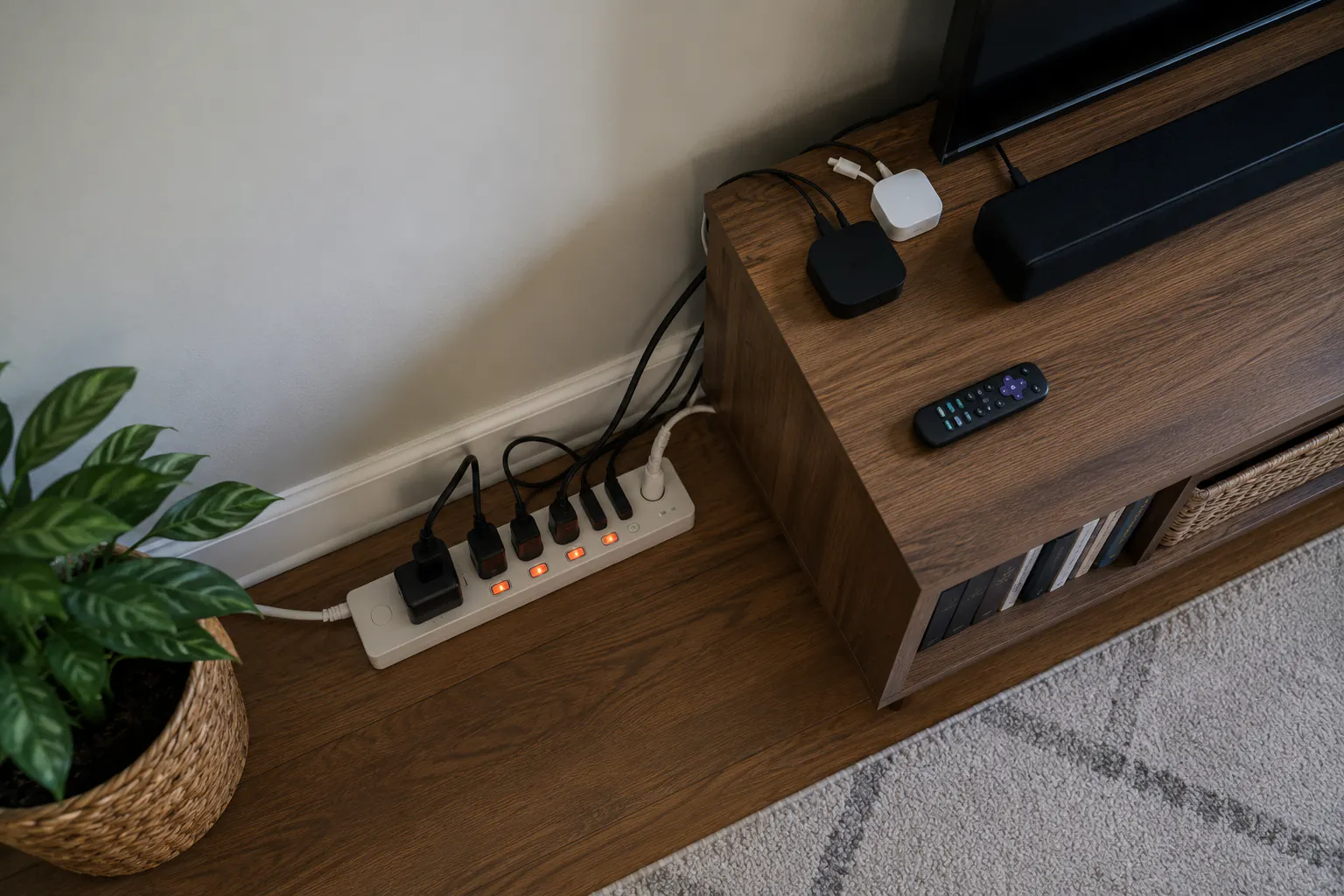
Why devices draw power when off
A modern device is rarely fully off when you press its button. It usually enters a low-power state so it can:
- respond to a remote control or a voice assistant;
- keep an internal clock, timer, or settings memory;
- maintain a network or Bluetooth connection;
- offer “instant-on” so it wakes quickly;
- charge or top up an internal battery.
None of this is wrong by design. The waste comes from devices that stay in standby around the clock when you only use them occasionally.
Where phantom loads hide
The Lawrence Berkeley National Laboratory maintains a reference of measured standby wattages for common products; it is a good reality check when a manufacturer does not publish the number. (Source: Lawrence Berkeley National Laboratory, Standby Power.) The heaviest offenders in most homes cluster in a few places.
| Room / cluster | Common standby draws |
|---|---|
| Entertainment center | TV, cable/satellite box, streaming stick, game console, soundbar, AV receiver |
| Home office | Desktop in sleep, monitors, printer, external drives, always-on router and modem |
| Kitchen | Microwave clock, coffee maker with timer, countertop appliances with displays |
| Bedrooms and living areas | Phone and laptop chargers left plugged in, secondary TVs, smart speakers |
| Utility and garage | Battery chargers, a second refrigerator or freezer, tool chargers |
Set-top boxes and older game consoles are frequent surprises because some draw nearly as much idle as they do in use. A phone charger left in the wall without a phone draws very little on its own, but a house full of them adds up and creates clutter that hides the bigger loads.
Estimate what it costs you
You do not need exact figures to act, but a rough number is motivating. Reporting on DOE-based estimates has put the cost of standby power at up to roughly $183 per year for an average U.S. household. Your figure depends on your device count, their idle wattages, and your local electricity rate.
To estimate a single device:
idle watts × 24 hours × 365 days ÷ 1,000 = kWh per year
Multiply kWh per year by your electricity rate (check your bill for the price per kWh). A cluster idling at 20 watts costs about 175 kWh per year — often $25 to $50 depending on where you live.
To find the real idle wattage instead of guessing, measure it. The plug-in watt meter guide walks through reading idle draw directly, which is the honest way to know whether a specific device is worth chasing.
Cut standby power without disrupting your life
The goal is to eliminate waste, not to make daily life annoying. Match the method to how you use each device.
Group and switch with power strips
The classic fix: plug a cluster of related devices — TV, console, soundbar, streaming box — into one power strip and switch the whole strip off when you are done. An advanced power strip can cut the peripherals automatically when the main device turns off. This is the single most effective no-cost habit for entertainment and office clusters.
Follow basic power strip and extension cord safety: do not daisy-chain strips, do not put high-wattage heaters on them, and replace any that feel warm.
Automate with smart plugs
For devices on an inconvenient schedule — a lamp, a router that can safely restart nightly, a decorative display — a smart plug can shut power on a timer or on demand. Be selective: do not put a smart plug on anything that must never lose power unexpectedly, such as a medical device, a refrigerator, or a security system.
Just unplug the occasional stuff
A guest-room TV, a printer used monthly, a rarely used kitchen appliance, or a spare charger can simply be unplugged. This is the zero-cost version of a smart plug.
Buy for low standby next time
When you replace a device, standby draw is a purchase criterion. ENERGY STAR–certified products are designed to use less power in standby as well as in use. (Source: ENERGY STAR, product information.) It is a small factor per device but compounds across a household over years.
What not to unplug
Standby control has limits. Leave these powered:
- Medical equipment and anything a care plan depends on.
- Refrigerators and freezers, unless you are deliberately following a food-safety plan.
- Security systems, smoke and carbon monoxide alarms, and connected safety devices.
- Networking gear you rely on for alerts during storms or outages.
- Devices that lose important settings or firmware when hard-powered, unless you accept the reset.
Efficiency should never quietly disable a safety function.
The smart-home paradox
There is a tension worth naming. The same connected devices that promise to save energy — smart speakers, smart plugs, connected thermostats, security hubs — are themselves always-on standby loads. A smart plug that cuts a lamp’s phantom draw also draws its own small standby to stay connected.
Compare a smart control’s own use with the avoidable load and its compatibility limits. Do not put space heaters on smart plugs, external timers, or power strips, and do not automate safety-critical equipment. For suitable nonessential electronics, a permitted manual switch may be all you need.
Three persistent myths
- “Turning things off at the switch stops all draw.” Many devices keep drawing in standby even when their own power button is off. Only cutting power upstream — at the strip, the plug, or the wall — truly stops it.
- “Chargers left plugged in are a huge cost.” A single modern charger with nothing attached draws very little. The real cost is the accumulation of dozens of standby devices across the home, and the clutter that hides the bigger loads. Tidy them, but spend your effort on the entertainment and office clusters.
- “Standby is too small to matter.” Individually yes, collectively no. At 5% to 10% of residential use running every hour of the year, it is one of the largest savings you can capture without spending a cent.
The outage bonus
Every standby load you have already tamed is one less hidden drain when you switch to backup power. During an outage, a house that is already in the habit of switching off clusters is easy to run lean. Read how to reduce your electricity load during an outage — it is the same discipline applied when watt-hours are precious, and it is far easier if standby control is already second nature.
Return to the home energy efficiency hub to combine standby control with weatherization and measurement for the full picture.
Sources reviewed
- U.S. Department of Energy, Energy Saver: 3 Easy Tips for Reducing Your Standby Power Loads
- Lawrence Berkeley National Laboratory: Standby Power reference
- ENERGY STAR: product information
- U.S. Energy Information Administration: Use of energy in homes
Sources reviewed July 14, 2026.